
Business Phone Systems That Actually Work
We built business phone systems because watching companies overpay for enterprise contracts while getting terrible support seemed like a bad long-term strategy.

99.99% Uptime
Two-node HA cluster with automatic failover. Not a joking matter.
Flexible Contracts
Month-to-month. Because locking you in for years doesn't inspire great service.
Real Support
Actual humans answer. It's a 9 second support wait. We measured it. Not making it up.
2500+ Businesses
Using our phones to take calls right now instead of filing support tickets.
What's Broken & How We Fix It.
Overpayment Problem
You’re charged for features you don’t need, and the price climbs after you commit.
The Support Problem
45-minute hold times to reach someone who can't actually fix anything.
Reliability Problem
"Our phones are down" becomes your most-used phrase during very busy periods.
Complexity Problem
Adding a user requires submitting tickets and waiting three days for provisioning.
Business Phone System Features
Multidesking
One extension rings four devices simultaneously. Answer wherever you are.
Auto-Attendant
Automated greeting with department routing. After-hours calls route automatically.
Automated greeting with department routing. After-hours calls route automatically.
Unlimited Calling
Call as much as you need without watching minutes. One monthly cost instead of surprise overages.
Call Groups
Ring multiple extensions simultaneously or sequentially until someone answers.
Mobile Softphone
Business line on personal phone without giving out personal number. Makes sense.
Presence Indicators
See team availability at a glance. Reduce transfers to people who aren't available.
See team availability at a glance. Reduce transfers to people who aren't available.
Call Forwarding
Route calls anywhere like other extensions, mobile phones, or external numbers.
Voicemail-To-Email
Voicemails delivered to email with audio attachment and transcription. Accurate and creepy.
Admin Portal
Real-time system reporting dashboard. Manage users without calling support.
- The AI Is Already Running
AI-first since 2016. Live today, not on a roadmap.
All Communications In One Place.
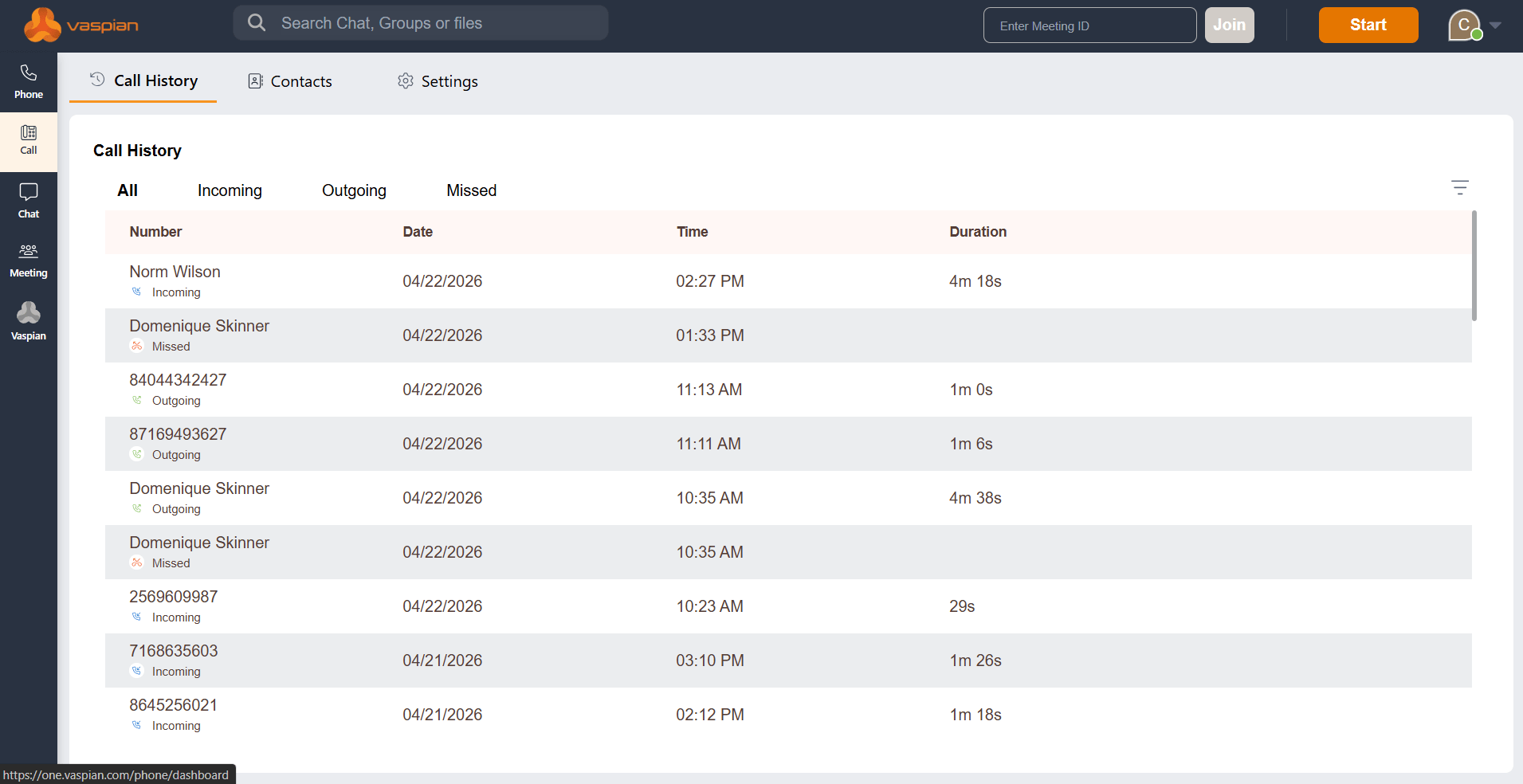
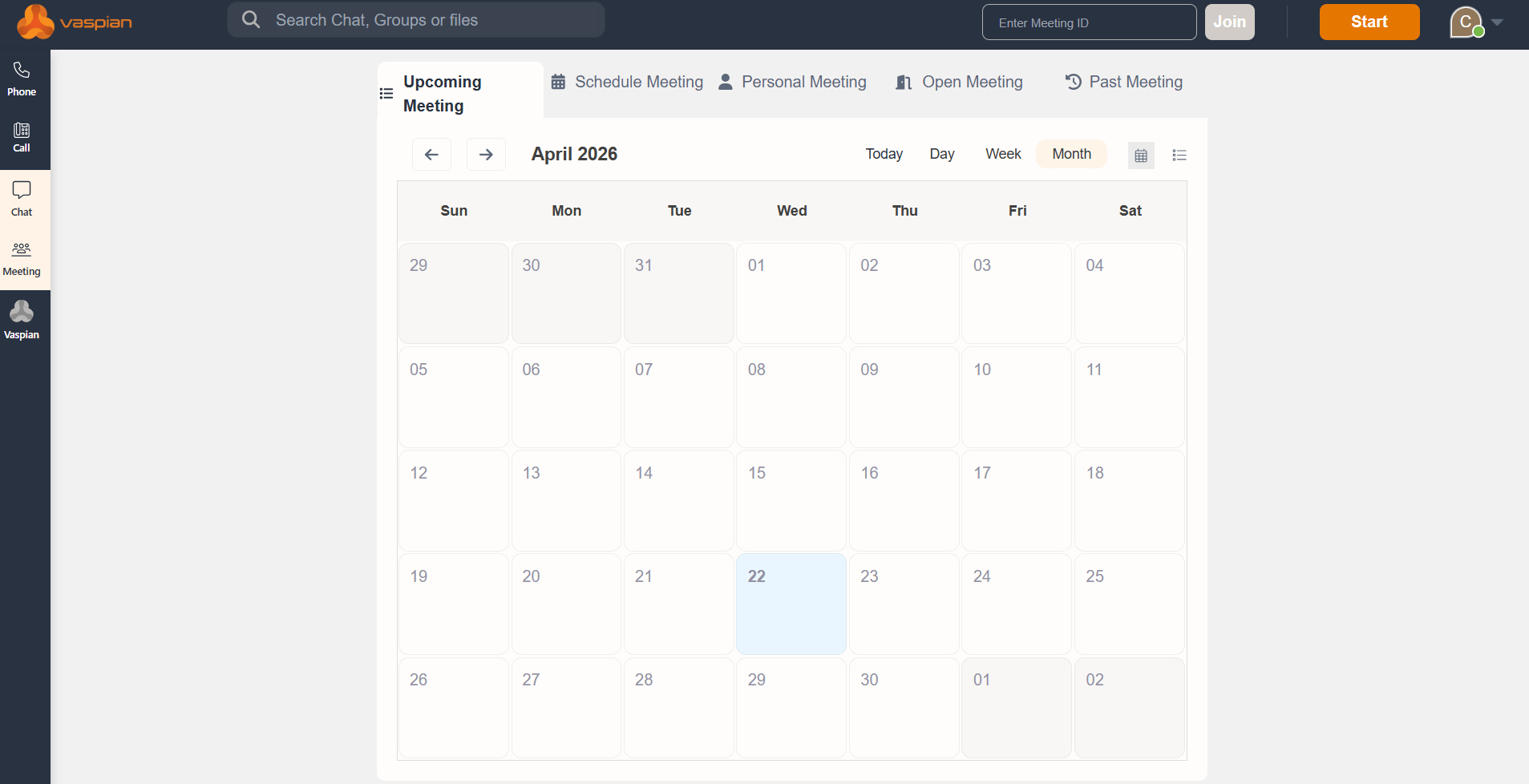
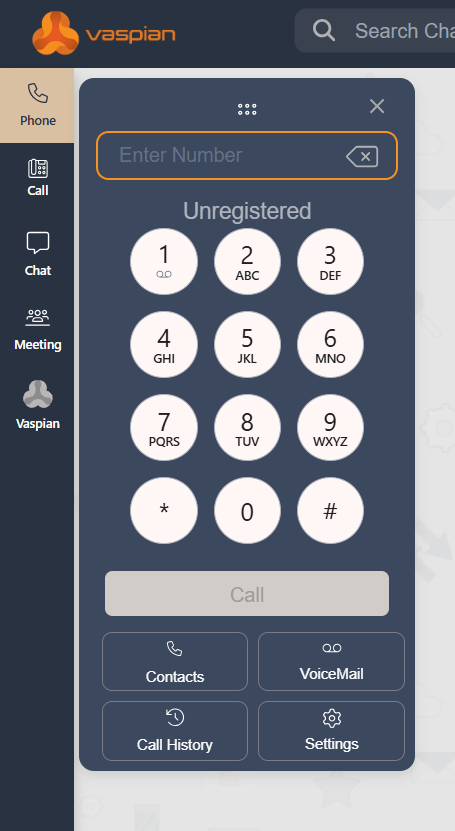
The actual Vaspian One interface your team uses. Dashboard shows message volume, response times, and conversation analytics. No surprises. This is what you're getting.
Our Pricing Plan
Flat per-seat monthly pricing. Month-to-month. No contracts.
- Flat Per Seat
- per month
- Unlimited local + long-distance calling
- Multidesking (4 devices simultaneously)
- Auto-attendant (virtual receptionist)
- Call groups
- Mobile softphone app
- Vaspian One Platform
Why It Actually Works
Business phone systems aren't a replacement for anything. They're just phones that work when customers call instead of phones that fail during busy periods.
Calls Really Connect
Crystal clear audio. No robot voices, no choppy connections, no "can you hear me now?"
Crystal clear audio. No robot voices, no choppy connections, no "can you hear me now?"
Employee Friendly
Simple enough that new employees figure it out in 10 minutes without IT support.
Human Support
When something breaks, you talk to someone who can fix it instead of someone reading a script.
No Surprise Bills
The price we quote is the price you pay. No hidden fees, no "regulatory recovery charges," no asterisks.
The price we quote is the price you pay. No hidden fees, no "regulatory recovery charges," no asterisks.
Ready To Upgrade Your Business Phone System?
Most businesses figure out texting works better than voicemails within the first week. Usually within the first day. Occasionally within the first hour when they text a customer and get a response in 90 seconds instead of playing phone tag for three days.

Common Questions
Find quick answers to the most common questions about our courses and platform.
Can we keep our existing phone numbers?
Yes. Number porting transfers your existing numbers to the new system. Takes 2-3 weeks but customers never know you switched. We handle the paperwork with your old carrier. You keep the same numbers you’ve had for years.
How much do business phone systems cost?
This will vary based on your setup!
What features are included an no charge?
Call Announce– Caller ID indicates the auto attendant selection made
Caller ID Block – Change your caller ID as Private
Call Screening – Control calls before answered
Do Not Disturb – Send callers directly to voicemail
Set Caller ID – Choose each extension’s caller ID
Busy/Active Extension Lit – Indicates Extensions in use
Call Hold– Place a call on hold to answer another
Call Logs– Lists of all inbound calls, regardless of the length of the call
Call Park– Place a call on hold that can be picked up from any phone
Call Waiting– Create rules for inbound calls while you are on the phone
Shared Line– Pick up calls nearby or remove calls from other phones
Cell phone twinning – Tether your mobile and desk phone to ring together Use your cell phone instead of a desk phone
Vaspian Portal– Portals with limited access custom built for each user
Caller ID– See the caller ID of all inbound calls on your phone
Custom Call Tagging– Caller ID will indicate menu selected by customer
Follow Me– Rules to have calls forwarded to one or more cell phones
Local Presence– Own phone numbers in every city/state
Main Company Number– Bring your own or create a new main number
Music on Hold– Choose from 17 music types or create an announcement
Toll Free– Own as many toll-free numbers as you like
User Portal– from Agent to Admin, design each portal as you see fit
Voicemail to Email– Send Voicemails (transcribed) to your email
Voicemail– Each extension can have its own voicemail to email
Virtual Receptionist– Auto Attendant
Voicemail– Securely check your voicemails from anywhere
Call Blocking– Block calls that are deemed nuisance or threatening
Call Conference– Add up to 10 calls per phone
Click to Dial– See CRM Integration
Support– Free Support 24/7 Hosted Solution by phone, ticket, email
Call forwarding– Redirect your calls to your mobile phone/ group of
Call Flip– Move calls taken from your cell back to your desk
Mobile Apps– Manage your phone system from the palm of your hand
Multi-desk or ‘Hot Desking’– Register several devices to one extension
Never Miss a Call– Create rules so all unanswered calls come to you
Work from Anywhere– Turn your mobile phone into an office extension
Call Group– Forward calls to multiple extensions and cell phones
Call Monitor– Allow certain users the ability to listen to calls
Conference Bridge– Up to 99 callers
Paging– Broadcast announcements through your desk phones
Intercom– Speak to another extension without requiring handset pickup
Multi-Location Integration– create one shared system throughout locations
Unlimited Local calls– Replaces Paying ‘by the minute”
Unlimited Long Distance – Replaces paying ‘by the minute”
Direct Dial– Each extension can have its own direct number for publishing
Number Porting– Bring all your lines, faxes, and numbers over
Reporting– Graphs, charts, built in daily, hourly, weekly monthly stats
Leader Board– Stank ranking, streaming call totals from best to worst
Comparison Reports– Shows last months versus this month’s production
Peak Time Reports– shows gaps in call production
Data Reports– All reports show all calls included in the reports
Out of the Office Voicemail– Mangers can listen to absent employee vmail
3-digit dial– Include multiple offices and mobile phones as 3digit extensions
Fax to email– Store every fax on your desktop for simple retrieval
Easy Fax– Send any fax where you have an internet connection
Do we need new phones or can we use the ones we have?
Depends. Most businesses use softphones (apps on computers and mobile devices) instead of physical desk phones. If you want desk phones, we offer them from major manufacturers—not proprietary hardware that locks you in. If you already have VoIP desk phones from another provider, they might work. Ask us about specific models.
What happens if our internet goes down?
Properly configured systems fail over to backup connections (cellular, secondary internet, different data center). Calls keep working even when primary internet fails. This is why redundancy matters. Without it, internet down means phones down.
How long does setup really take?
Small businesses (under 10 users): 1-2 weeks including number porting. Larger operations: 2-4 weeks. Most time is number porting (2-3 weeks regardless of size), not technical setup. If you’re using new numbers instead of porting, setup is much faster—often a few days.
Can remote workers use the system?
Yes. That’s the point of cloud phones. Remote workers install the softphone app, log in with their extension, and make/receive calls from anywhere with internet. Same features as office workers. Same phone number. Same extension.
What's included with every seat?
Unlimited North American calling, multidesking across 4 devices, auto-attendant, call groups, mobile app, voicemail-to-email, call forwarding/transfer/3-way calling, presence indicators, admin portal, and the full Vaspian One Platform (portal, softphone, Chrome extension, webhooks, API).
How much does it really cost after the first month?
Same as the first month. Flat-rate per user, month-to-month. No surprise price increases after you sign up. No “introductory rates” that expire. The price we quote is what you pay, every month, until you decide to change your plan or add users.